
How to host a static website for free
Step-by-step guide to hosting a static HTML, CSS, and JS website for free — no server, no credit card, live in under a minute.
Updated 2026-08-30
A static website is just files. HTML, CSS, JavaScript, images, served exactly as they're written, with no server-side code running behind them. That's what makes static sites the cheapest and simplest type of site to host, and in most cases you genuinely can do it for free, with no asterisk attached.
Here's the fastest path from "files on your computer" to "live URL you can share," along with the mistakes that actually trip people up.
Step 1: get your files ready
You need a folder with an index.html file at the root. That's the only hard requirement. A styles.css, an assets/ folder, a script.js, all of that is optional, and just needs to be linked correctly from index.html using relative paths.
If your whole site is one page, a single .html file is enough on its own. No build step, no bundler, nothing to configure.
Step 2: pick a host that skips the setup
Traditional web hosts want you to configure a server, point DNS records, and manage an FTP client before you've published a single page. None of that is necessary for a static site. Look for a host that lets you:
- Drag a folder (or a
.zip) directly into the browser - Get a live URL immediately, with no server to configure
- Use HTTPS by default, without generating your own certificate
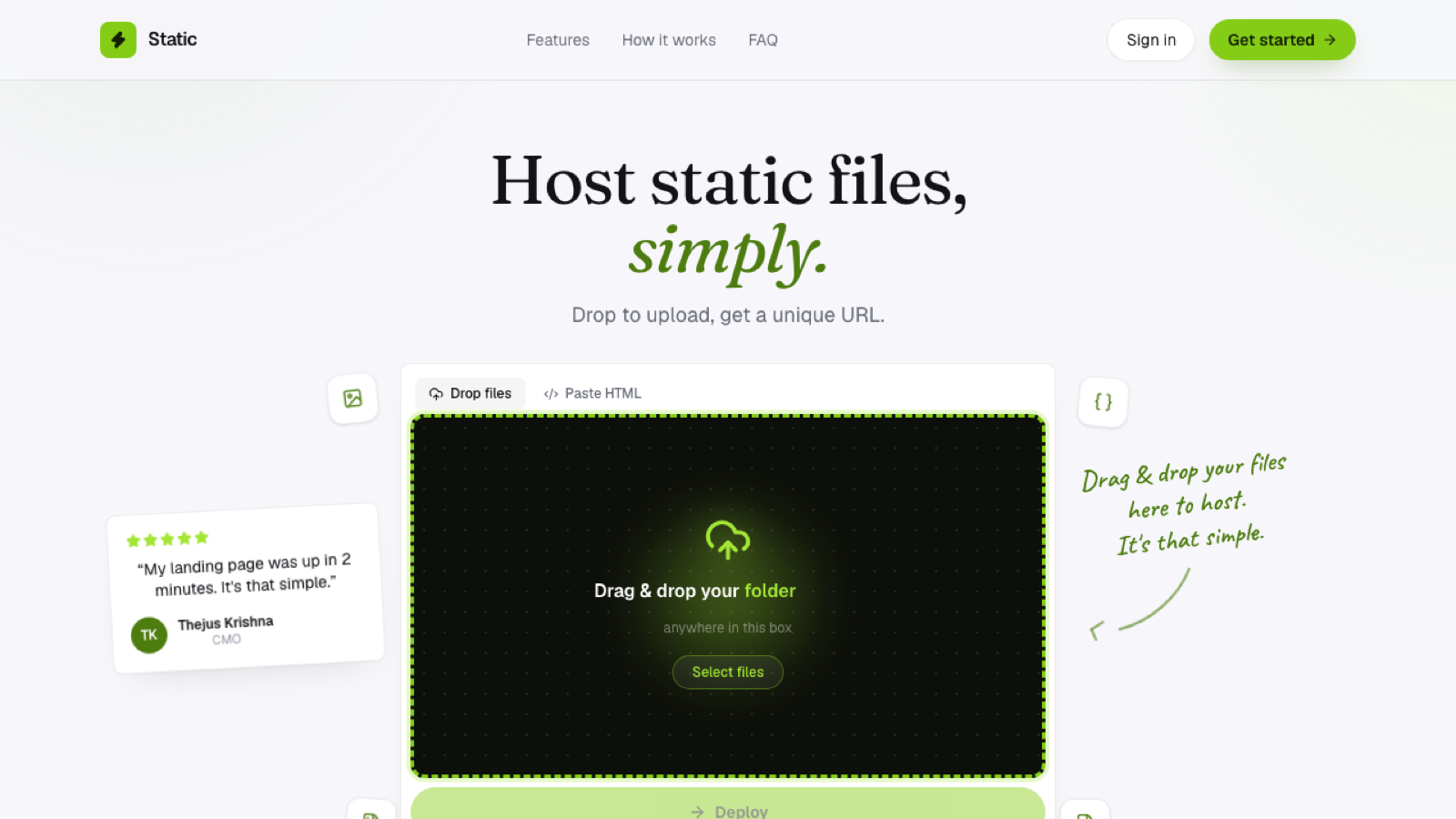
That's the entire workflow on Flaash. Drop your folder or .zip, and it's live on a *.flaash.live subdomain in seconds, free SSL included:
Step 3: upload and deploy
Drag your folder onto the dropzone, or paste your HTML directly if it's a single page. There's no build pipeline; what you upload is exactly what gets served, byte for byte.
Step 4: share the link
Every deploy gets its own subdomain, so you can share a live link right away, with a client, a teammate, or on social media, without waiting on a domain purchase or DNS propagation to finish.
Common mistakes worth avoiding
A page that works locally but breaks once hosted almost always comes down to relative paths: an image or stylesheet referenced with a local file-system path instead of a relative web path. Double-check <img src="..."> and <link href="..."> tags before uploading if something looks broken after deploy.
The other common mistake is zipping the wrong folder level, so index.html ends up nested one directory deeper than expected inside the archive. If a .zip upload deploys empty or broken, that's the first thing to check.
Do I need a custom domain?
Not to get started. A subdomain is enough for previews, personal projects, hackathon demos, or anything you want live quickly. You can always point a custom domain at it later, once the site is ready for real traffic.
What if my site needs a backend?
Static hosting only serves files; it won't run a database or server-side logic for you. If your site genuinely needs that, you'll want a platform that supports server functions. A large share of sites (portfolios, landing pages, docs, one-pagers) don't need one at all, and shipping them as static files is faster and cheaper than reaching for more infrastructure than the project requires.
Frequently asked questions
How long does it take to go from files to a live link? With a browser-based static host, typically under a minute: upload, wait for the files to unpack and upload to storage, and the subdomain is live.
Can I update the site after it's live? Yes. Re-upload the updated folder to the same project, and the live site reflects the change; there's no separate "publish" step beyond the upload itself.
Do I need to know how to code to host a static site? No. If you already have HTML files, whether hand-written, exported from a design tool, or generated by an AI assistant, hosting them doesn't require writing any additional code.