
A Netlify Drop alternative for ongoing projects
Netlify Drop is great for a one-off preview link. Here's what to look for in an alternative if you want to manage sites over time, not just drop and forget.
Updated 2026-08-30
Netlify Drop is a small, genuinely handy tool. Drag a folder or .zip onto the page and get an instant published link. It's the lightweight, no-account entry point into Netlify's much larger platform, which is built around Git-connected projects with full CI/CD behind them.
That framing explains both what Drop is good at and where it runs out of runway.
What it's good for
A quick, disposable preview. Showing a client a mockup, sharing a prototype in a chat thread, checking how a build output actually looks once it's live. It's fast, and it requires zero setup.
What it's not built for
Drop isn't meant to be where a project lives long-term. Coming back to the same site, redeploying it with updates, keeping multiple versions organized, none of that is really the point. Doing those things is supposed to nudge you into a full Netlify account with a Git-connected site, which brings back exactly the setup Drop was designed to skip in the first place.
That's a reasonable tradeoff if you were always going to need the full platform eventually. It's friction if all you wanted was the simplicity of Drop, permanently.
What to actually look for in an alternative
If your need is "the drop-a-folder simplicity, but as an ongoing home for the site," not a disposable preview, three things matter:
- Projects that persist. The site should still be there tomorrow, tied to a URL you keep sharing and updating, not a temporary claim window.
- A way to version it. Staging versus production, or several previews of the same project, without each one being a completely separate upload with no relationship to the others.
- A subdomain you actually recognize. Not a random string that's hard to remember or dig back up later.
How Flaash approaches the same problem
Flaash keeps the drop-a-folder simplicity but treats each upload as a project you come back to, not a one-shot preview. Projects and variants let you keep multiple deployable copies of the same site (staging, previews, launches) each with its own subdomain, so redeploying an update doesn't mean starting from zero.
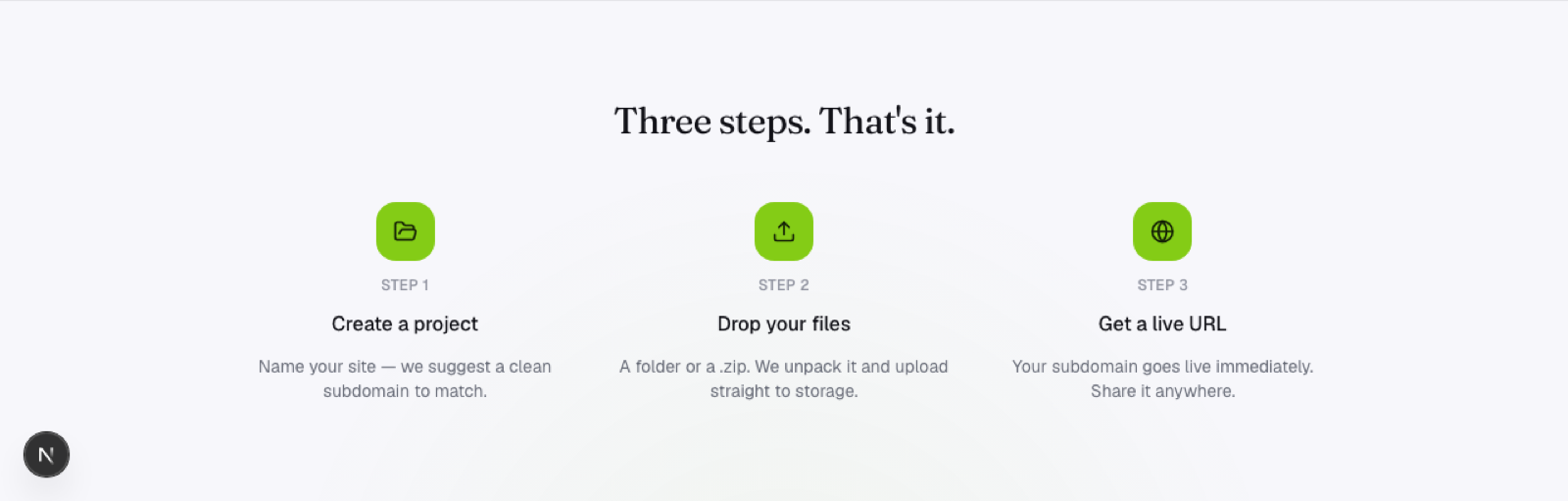
Files go straight from your browser to storage with no build pipeline sitting in the middle, and HTTPS is on by default the moment the deploy finishes.
Frequently asked questions
Can I still use Netlify Drop for quick throwaway links? Sure. It still does that specific job well. The distinction is about what you need next: a disposable link, or a project you'll keep coming back to.
Does moving to a project-based host mean more setup up front? Not meaningfully. You still drop a folder and get a link immediately. The difference shows up later, when you want to update the same site instead of creating a new disconnected one.
What happens to a Netlify Drop link once it expires or you stop maintaining it? That's exactly the gap a project-based alternative is meant to close, since a project persists on its own subdomain instead of relying on you claiming it before a window closes.